
Add Custom Lyrics for Android
You can add your own lyrics to Setlist Helper. There are several ways to do it:
- Import your lyrics
- Type your lyrics into the app
- Type your lyrics at www.setlisthelper.com
Typing Your Own Lyrics into the App
Open the main menu of the app and tap Songs.
Tap the plus button at the top of the page. This will open the "Edit Song" page shown below. Fill in all the data you require on this page, then tap "Edit Lyrics..." as shown below.
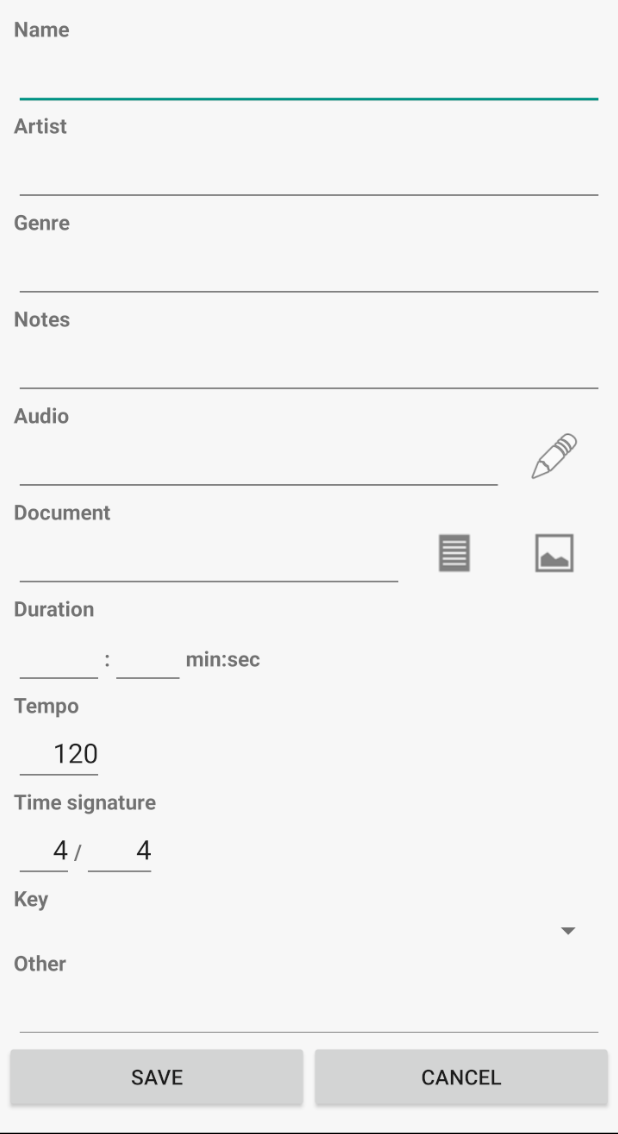
Fill in the information you need and tap "Save". That will take you back to the Song Catalog. Tap the newly added song and you will see the screen below.

To add custom lyrics, tap "Edit" or tap the menu with the three dots in the upper right and choose "Edit". You will see the screen below when you edit.
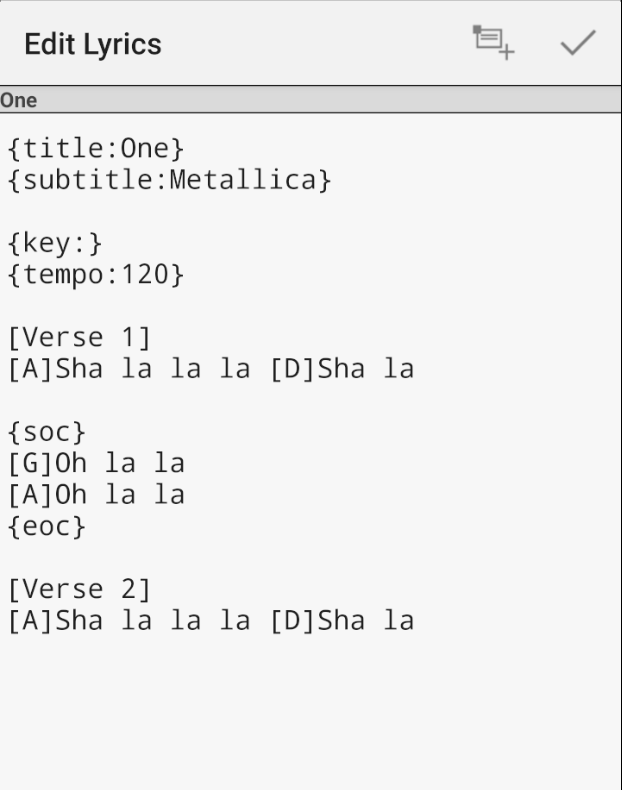
The screen above takes plain text. Setlist Helper supports the ChordPro format. Below are some resources on ChordPro format:
If you create ChordPro files with either of these utilities, you can import them following the instructions here.
The screen above has two buttons on the top toolbar:
- Insert ChordPro tag - Inserts a ChordPro tag where your cursor is.
- Checkbox - Saves the lyrics.
Not all ChordPro tags are supported. More will be supported in the future, but refer to the ChordPro help page for details on what is supported.
An easier way to add lyrics may be on your PC or Mac:
- Open the main menu and tap Sync. This will put all your data at www.setlisthelper.com.
- Go to the Song Catalog. Click on "View Lyrics or Add Lyrics".
- Copy all your lyrics and paste them into this tool: http://ukegeeks.com/tools/. Convert the lyrics and copy them.
- Paste them back to www.setlisthelper.com.


Copyright © 2026 www.setlisthelper.com