
Update Dropbox Files for iOS
"Update Dropbox Files" is designed to:
- Update files that have changed in your Dropbox account.
- Pull down missing files.
If you have used Dropbox to import your files on a different device, this feature will be applicable to you. Even if you used Dropbox on an Android device.
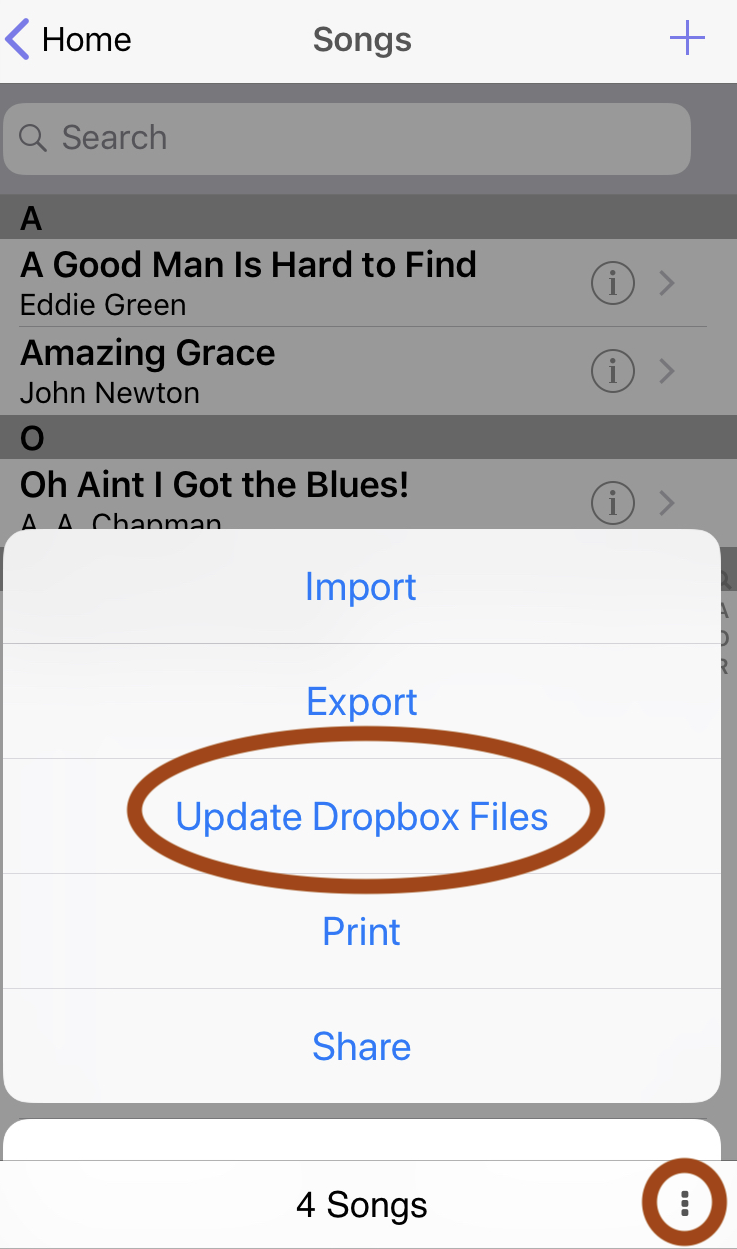
To start "Update Dropbox Files", go to the Songs page. Tap the three-dot menu button in the bottom right and select "Update Dropbox Files".
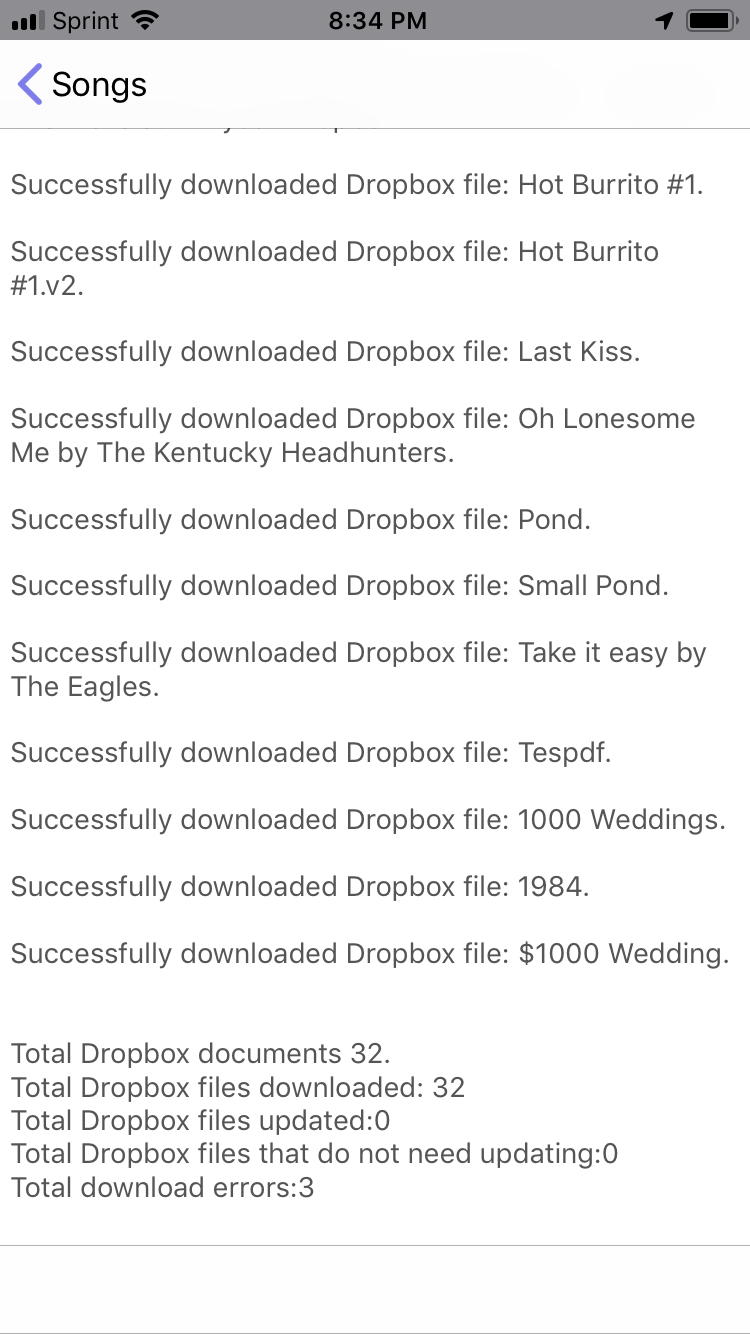
When you tap "Update Dropbox Files", a view will appear to show you the status of what is being done. This view will show you what files have been downloaded, updated, or any errors that occur.


Copyright © 2026 www.setlisthelper.com