
Transpose Lyrics in Setlist Helper for iOS
When you are viewing lyrics in Setlist Helper, you can transpose the chords to a different key. The lyrics are required to be in ChordPro format. Specifically, each chord needs to be surrounded by brackets like this: [C].
To transpose, navigate to the lyrics from Tags, Songs, or Setlist Songs. On the lyrics page, there is a "#b" button on the bottom toolbar shown below.
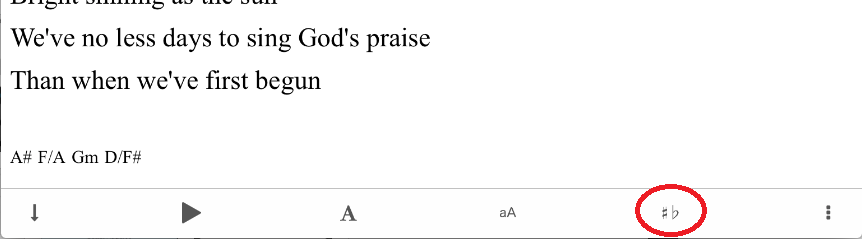
Tap this to transpose the lyrics. After you tap the transpose button, you will see the toolbar below.
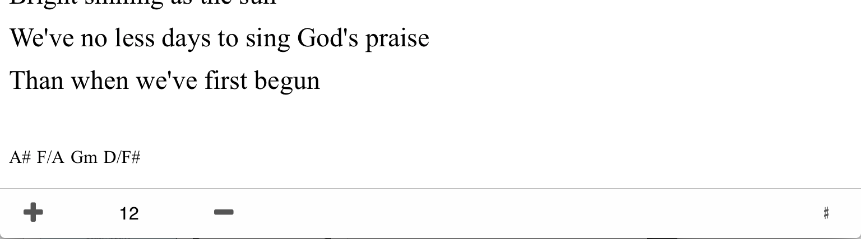
Tap the + or - button to transpose your lyrics. On the right of this toolbar, you can choose to use # or b when transposing.
To exit the transpose, tap anywhere outside of the toolbar.


Copyright © 2026 www.setlisthelper.com