
Transpose for Setlist Helper for Android
Setlist Helper for Android has the ability to transpose a song to a different key.
In order to do this, your song needs to use the ChordPro notation for chords. ChordPro Format Support
Below is a sample lyric:
[C]Hey, where did [F]we go, da[C]ys when the ra[G]ins came
The above notation will place the chord above the lyrics.
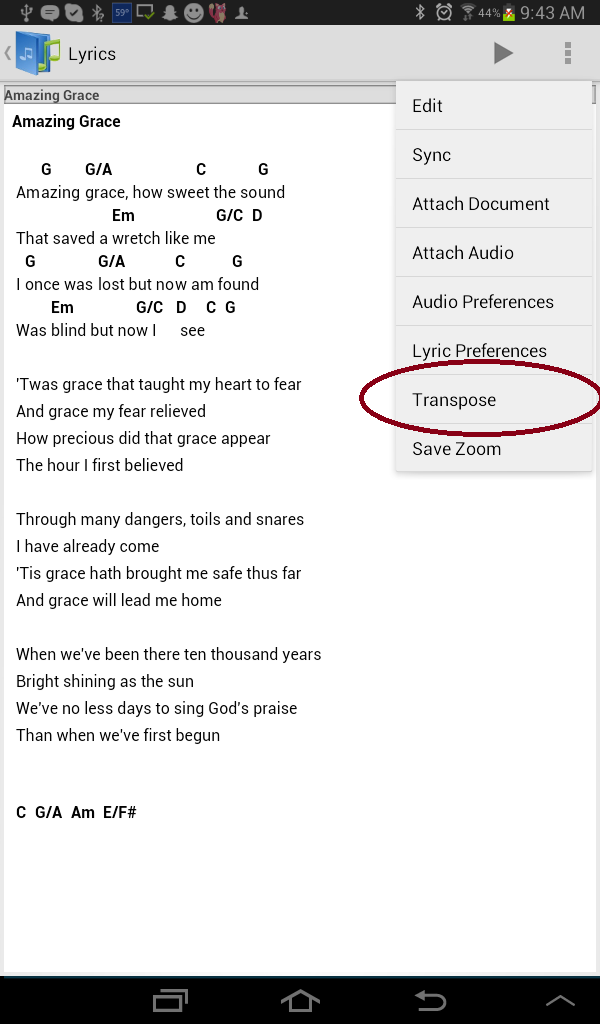
To transpose a song in Setlist Helper, go to any of your lyrics. Tap the menu and select "Transpose" as shown below.
When you select Transpose, your screen will have an action bar at the top that will let you transpose the chords up or down one semitone (also known as a half-step). Tap the plus or minus button to change the chords.
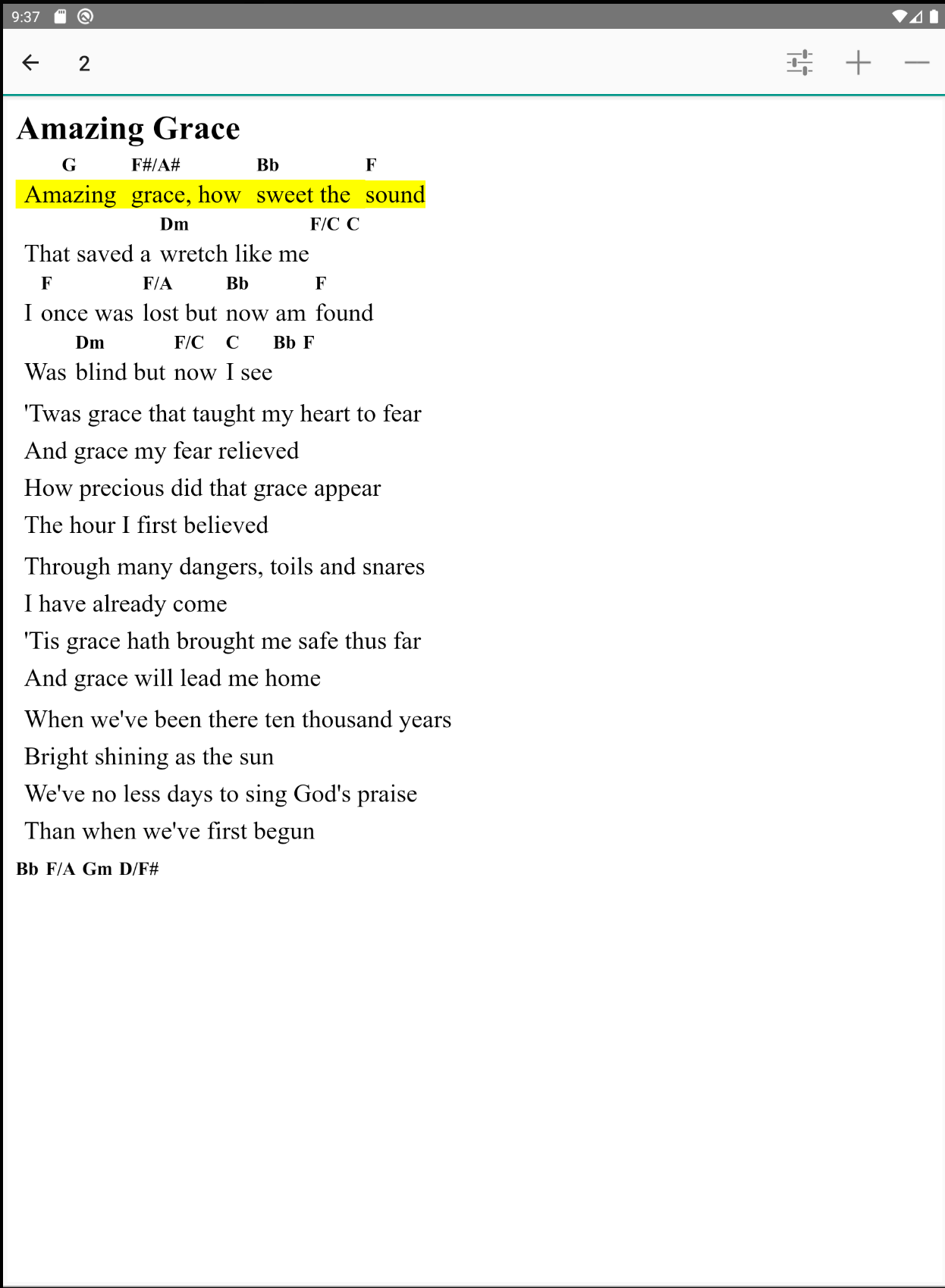
The changes are saved as you make them. The original chords are still in the ChordPro format when you edit them.
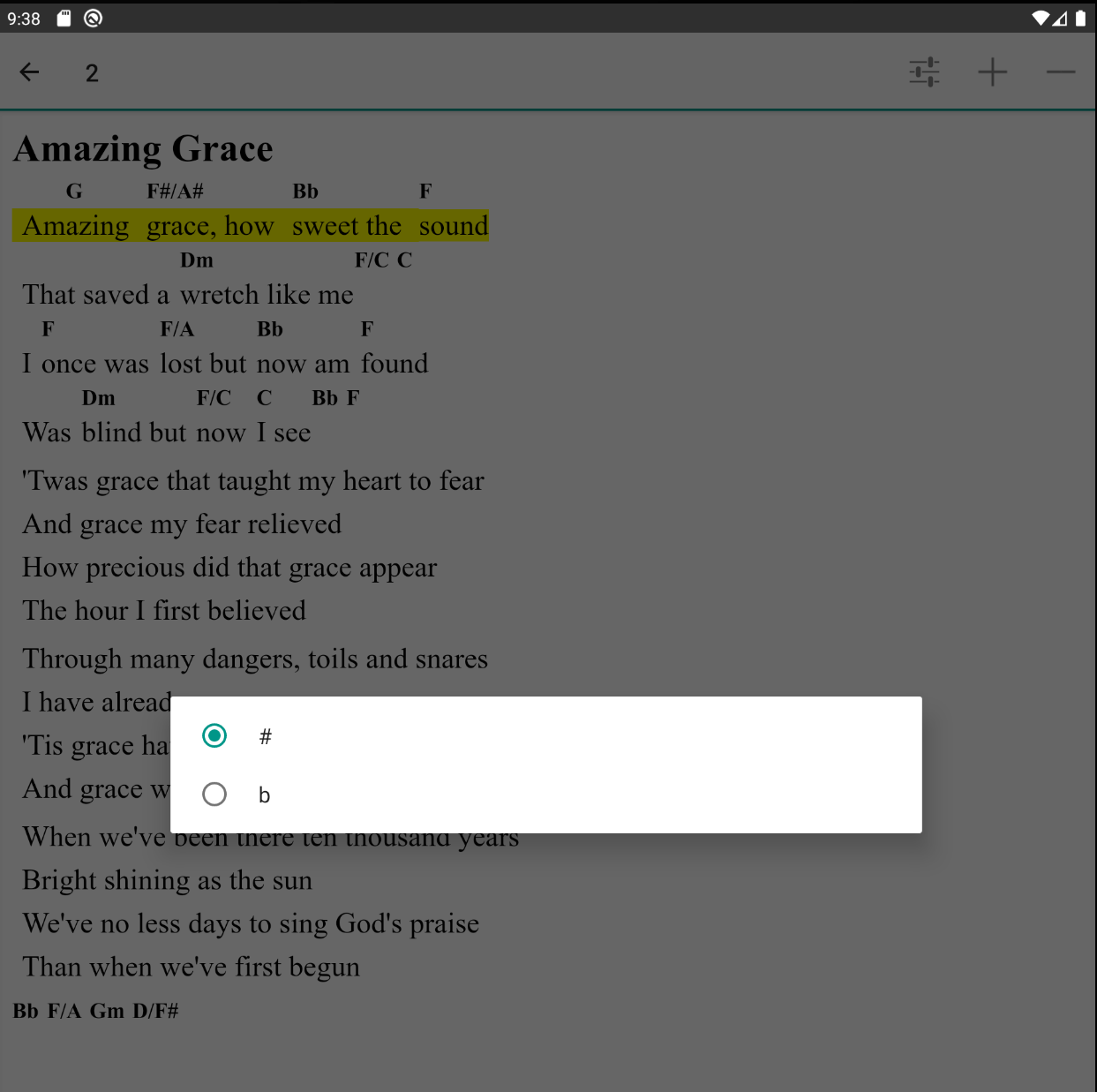
If you would like to change transpose to use sharps or flats, tap the "Settings" menu item circled below.

Tap the Sharp or Flat option.
Please email us at support@setlisthelper.com if you have any questions.


Copyright © 2026 www.setlisthelper.com