
Settings in Setlist Helper for iOS
You can adjust certain features in the app by going to "Settings". Tap the back button until it says "Home". This will open the main menu. Choose "Settings" and you will see the page below.
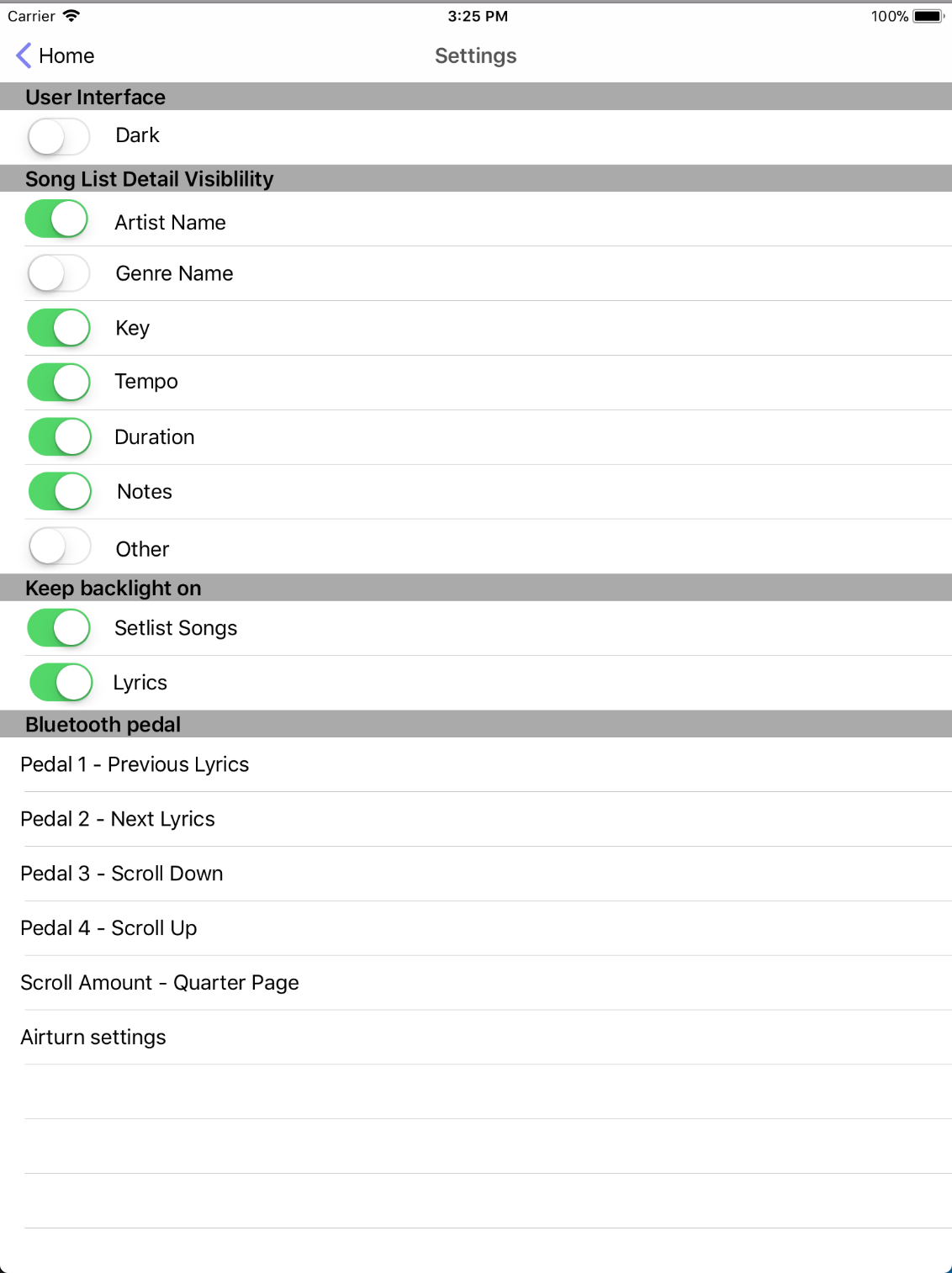
User Interface
- Dark - This will change the entire app to have a dark backdrop. This is useful in low light situations. When you change this setting, the "Settings" page will not be dark until you leave and come back. The rest of the views will be loaded with the correct setting.
Song List Detail Visibility
This section of the settings allows you to show or hide the song attributes on the song list. This will affect the song list and the setlist song list.
Keep Backlight On
This setting makes the app keep the screen on when you are looking at one of the views below. Typically your device will turn off the screen when it is inactive for a certain time.
- Setlist Songs - This setting will keep the screen on when you are on the Setlist Songs page.
- Lyrics - This setting will keep the screen on when you are on the Lyrics page.
Bluetooth Pedal
This section will allow you to adjust the settings for a Bluetooth pedal. The development of the app focused on the Airturn brand of pedals. However, the app will work with other pedals (see below). The image below shows the different actions that can be performed with a Bluetooth pedal. All of the options below are used on the Lyrics page. The "Next Lyrics" and "Previous Lyrics" options will only work when you are viewing lyrics in a Setlist.
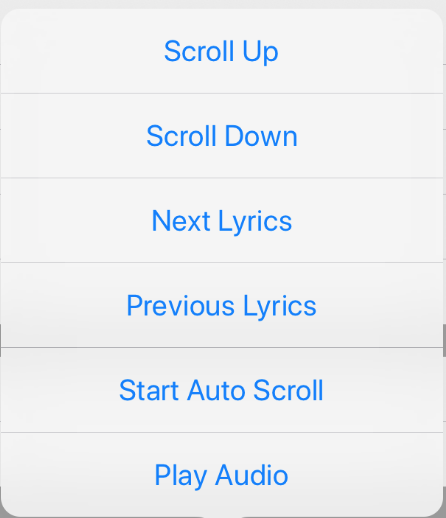
- Pedal 1 - This is the left pedal of the Bluetooth pedal.
- Pedal 2 - Second pedal on a four-pedal Bluetooth pedal.
- Pedal 3 - This is the second pedal for any "Two Pedal" Bluetooth pedal.
- Pedal 4 - Fourth pedal on a four-pedal Bluetooth pedal.
- Scroll Amount - You can adjust the amount the page will scroll when you use the "Scroll Down" or "Scroll Up" options.
- Airturn Settings - This will allow you to pair the Airturn pedal with the app. You will see the screen below when you tap "Airturn Settings".
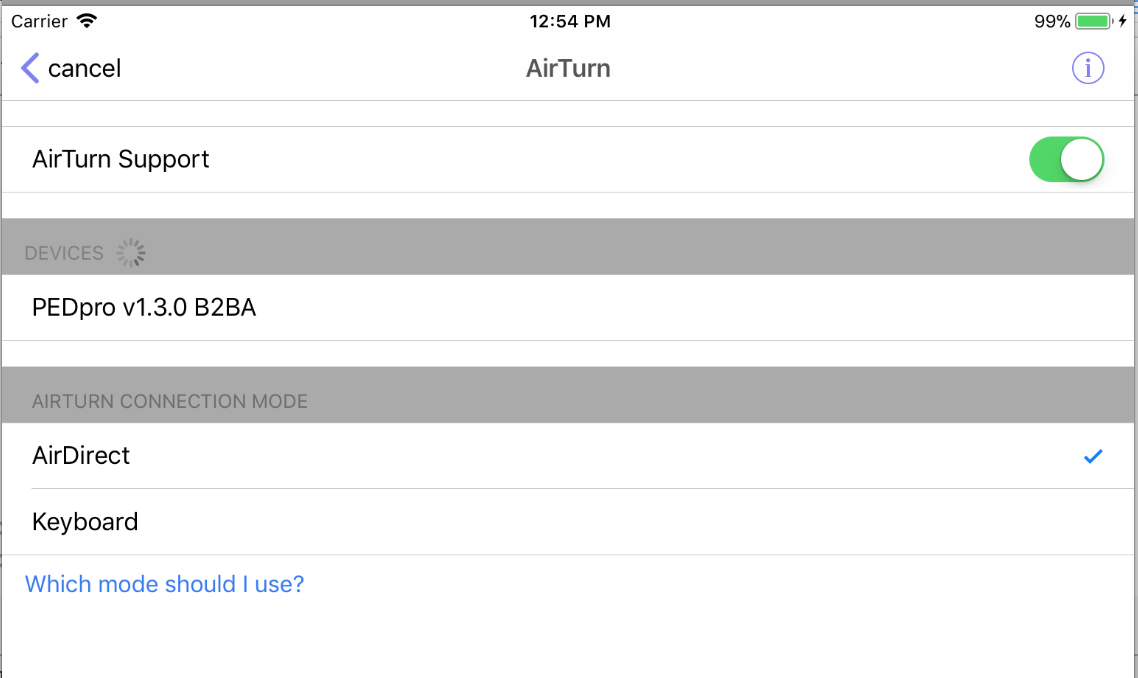
To get the Airturn pedal to work with the app, you must turn on Airturn Support and connect your pedal. When the pedal is connected, tap the "Which mode should I use?" link to help you choose the right mode.
For more information on the Airturn pedal, visit airturn.com.
Support for Bluetooth Pedals Other than Airturn
Your Bluetooth pedal should be configured to send the following keyboard commands:
- Pedal 1: Page Up
- Pedal 2: Page Left
- Pedal 3: Page Down
- Pedal 4: Page Right
In "Settings", tap "Airturn Settings". Turn "Airturn Support" on. Choose "Keyboard". Your Bluetooth pedal is a Bluetooth keyboard where the pedals act like keyboard keys.
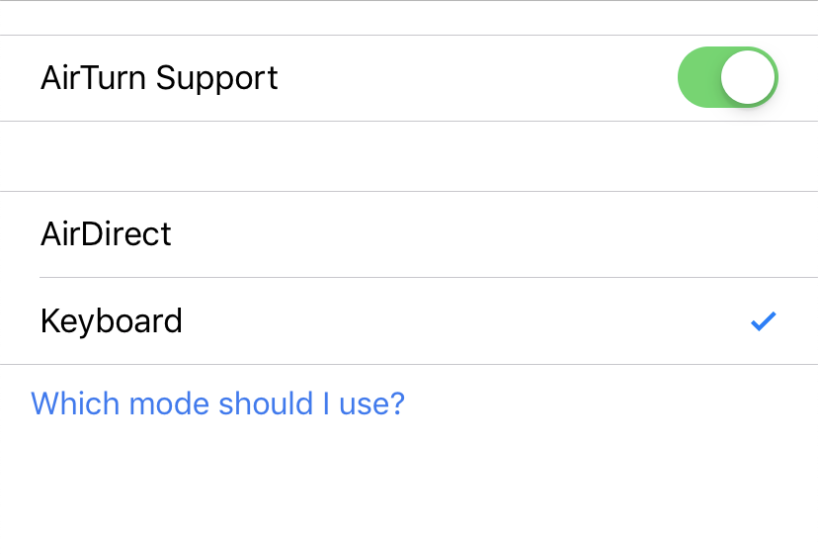
The downside of this approach is your keyboard will be the Bluetooth pedal. You will not see the onscreen keyboard unless you disconnect the pedal. Getting an Airturn pedal is another way to solve this problem.


Copyright © 2026 www.setlisthelper.com