
Searching for Lyrics in Setlist Helper for iOS
Searching for Lyrics
Open the main menu of the app and tap "Lyric Search".
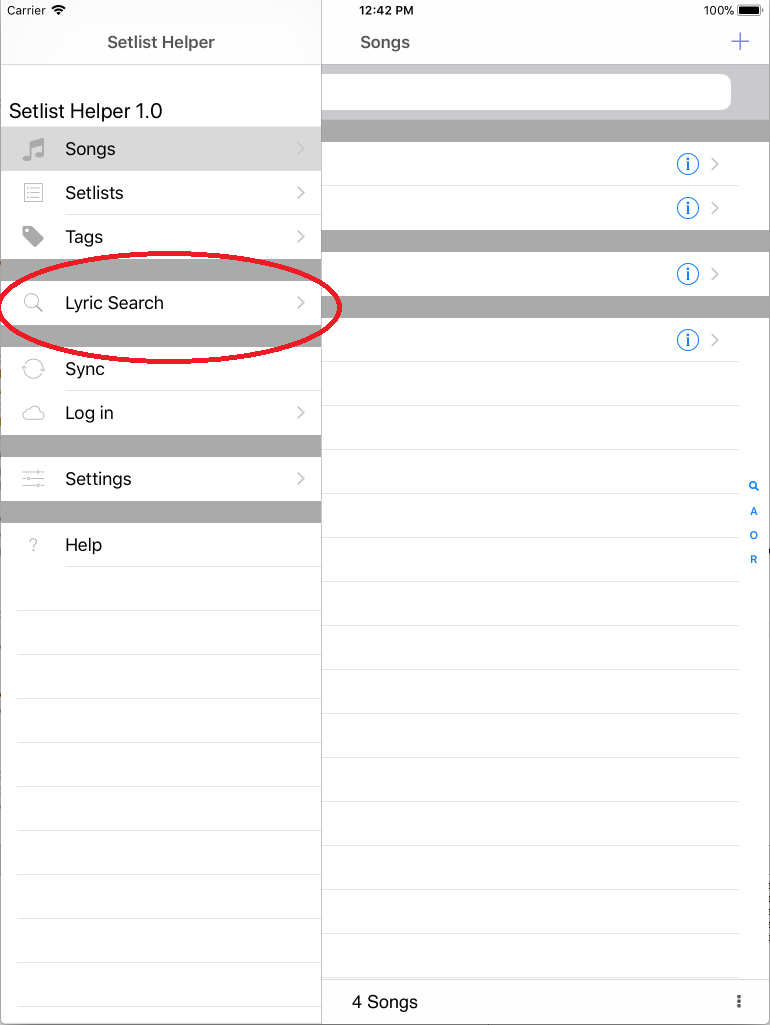
On the search screen there are two options:
- Tablature - This will search for lyrics with chords or tablature.
- Lyrics - This will search for lyrics only.
After you choose one of the options above and type the name of the song, tap the Search button in the upper right. You will see search results from Google. Tap one of the results. After the page is done loading, the import button will be enabled in the bottom left.
The import button will be enabled only if the website you are on is supported. Send an email to support@setlisthelper.com if the site is not supported. If the site is not supported, it will say "No Lyrics".
When the song is imported, it will be stored in the Setlist Helper database so it can be used offline.
Keep in mind this is a convenience feature. You can manually type in the lyrics in the app or sync your data and type in the lyrics at www.setlisthelper.com.


Copyright © 2026 www.setlisthelper.com