
Backing Up Your Data on Setlist Helper for iOS
All the data is stored in a database on your device. Connect your device to a computer and open iTunes.
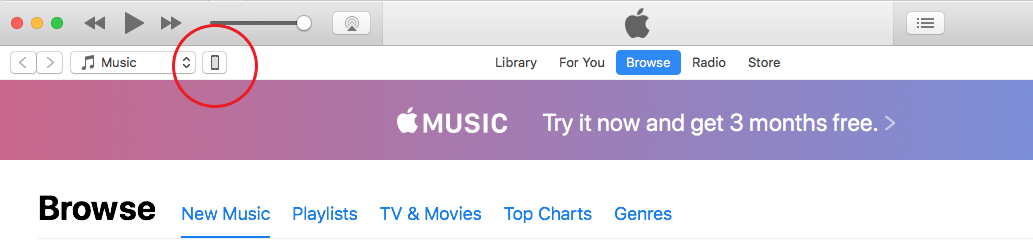
In iTunes, click the device icon:
Click on "File Sharing".
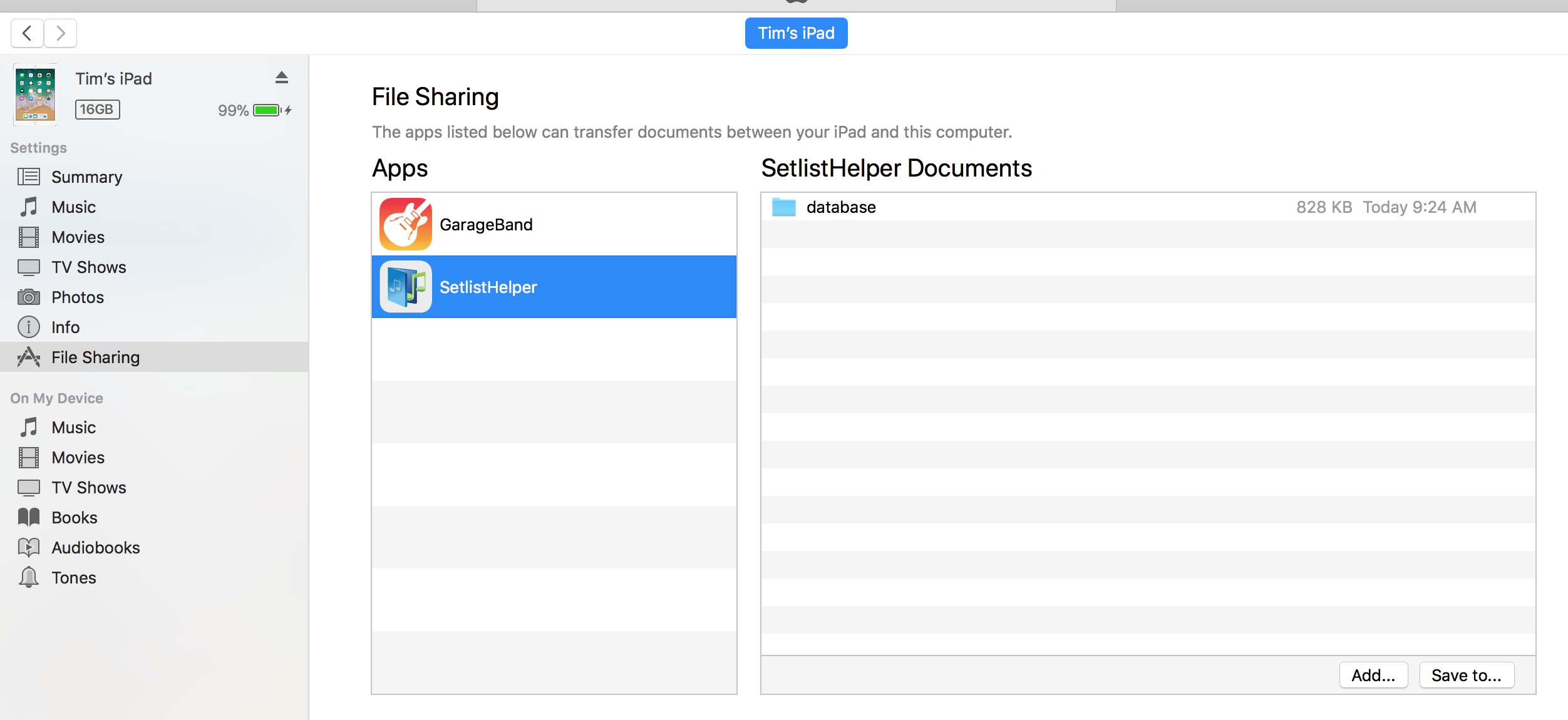
Click on the Setlist Helper app and you will see a "database" directory. Select that directory and tap "Save to..." and save the folder to a backup location on your PC or Mac.
To restore the data, just overwrite the database folder with the folder you backed up.


Copyright © 2026 www.setlisthelper.com